
• Skip to main content
  • Home
  • About
  • Advertise
  • Archive
    • All
    • 2025
    • 2024
    • 2023
  • CALENDAR
    • All
    • Governmental Entities
    • Homeowners’ Associations
    • Special Events
    • Weekly & Monthly
  • Contact Us
  • E-Edition
  • Sitemap
  • Topics
  • SEARCH
OCN

OCN

Volunteers reporting on community issues in Monument, Palmer Lake, and the surrounding Tri-Lakes area

OCN > 2311 > Mount Herman fire averted

Mount Herman fire averted

November 4, 2023

By Steve Pate

Smokey the Bear says, “Only you can prevent forest fires.” In this case, Steve Galchutt and a crew from the U.S. Forest Service (USFS) prevented what could have been a major disaster on Mount Herman on Oct. 22. Galchutt’s hike up Mount Herman that day turned into a wildfire prevention event. After reaching the summit, Galchutt sat on his usual log to have lunch. While eating his sandwich and enjoying the view, he smelled smoke. The smoke led him to a smoldering illegal campfire that had been fanned back to life by gusty winds. He pulled out a flaming log and broke it up and poured the remainder of his drinking water on the fire. This campfire was still very much alive and needed to be doused with much more water.
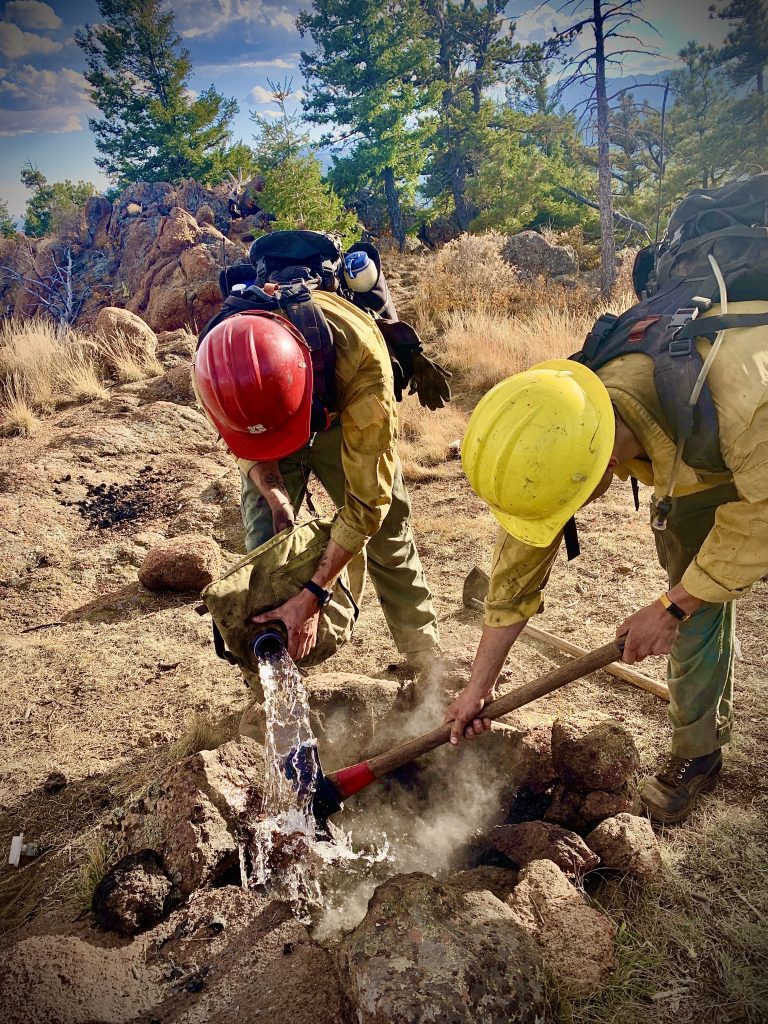
Above: While hiking on Mount Herman Oct. 22, Steve Galchutt of Monument, found a smoldering campfire pit and called 911 which forwarded his information to the U.S. Forest Service. Two firefighters from Wildland Fire Module Unit 9 extinguished the campfire by pouring several gallons of water on it. Photo by Steve Galchutt.

Galchutt called 911, the appropriate emergency action when fire is spotted in our forests. The 911 operator put him in touch with USFS, which sent a crew up Mount Herman. Galchutt’s location coordinates did not get passed on to the Hot Shot crew. They called him from the trailhead and again near the summit to confirm his location. He was not visible and told them to listen for him playing When the Saints Go Marching In on his harmonica. Following that sound, the “Saints” came marching in with water and doused the remains of the fire.
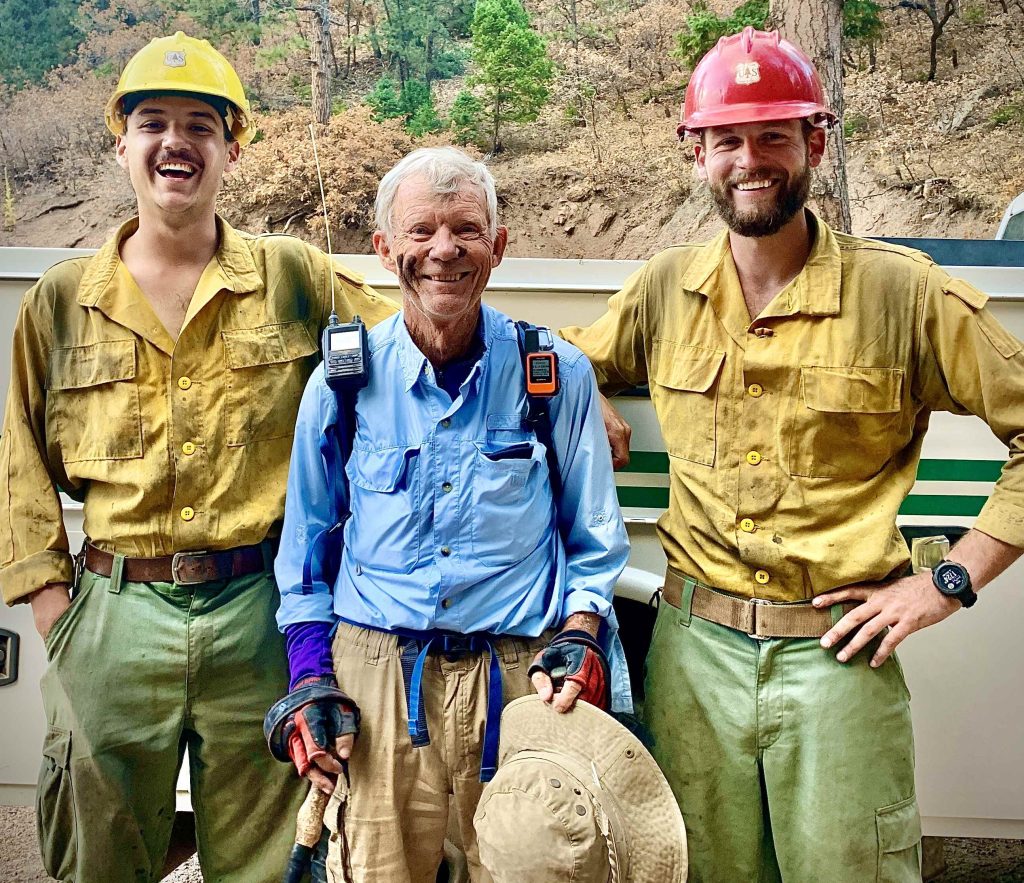
Above: Pictured from the left to right are Nick Boling, Galchutt, and Aidan Kuelling. Photo by Bailey White.

Steve Pate may be contacted at StevePate@ocn.me.

Other On the trail articles

  • On the Trail (in memory of Tim Watkins) – Annual Ride for Tim, Palmer Lake to Monument (10/1/2025)
  • On the Trail (in memory of Tim Watkins) – Ride for Tim scheduled for Sept. 13 (9/3/2025)
  • On the Trail (in memory of Tim Watkins) – Monument Hiking Group planning session (4/5/2025)
  • On the Trail (in memory of Tim Watkins) – Monument Hiking Group to Ice Cave Cliffs and Cap Rock (2/1/2025)
  • On the Trail (in memory of Tim Watkins) – Enjoy being outdoors, but be prepared (11/2/2024)
  • On the Trail (in memory of Tim Watkins) – Prescribed burn promotes forest health (7/6/2024)
  • On the Trail (in memory of Tim Watkins) –  Palmer Lake bridge dedication ceremony (6/1/2024)
  • On the Trail (in memory of Tim Watkins) – Cadets build bridge over Monument Creek (5/4/2024)
  • On the Trail (in memory of Tim Watkins) – Mount Herman “Leap” (4/6/2024)
  • On the Trail (in memory of Tim Watkins) – Palmer Lake Reservoir hike (3/2/2024)
<- Our Community Calendar
-> Triview Metropolitan District, Oct. 19 – Traffic safety concerns; NDS pipeline nears completion

CLICK HERE FOR PODCASTS or OCN UPDATES --- SIGN UP FOR: NEWSLETTERS or ADINFO --- RSS FEEDS: ARTICLES or PODCASTS or COMMENTS
Privacy Policy --- Copyright © 2001–2025. Our Community News, Inc., All rights reserved.

Accessibility Adjustments

Powered by OneTap

Accessibility Commitment for Our Community News, Inc.

At Our Community News, Inc., we are committed to making our digital presence as accessible and inclusive as reasonably possible for all users, including individuals with disabilities. Our goal is to improve the usability of wp.ocn.me and to support a more accessible experience for everyone, regardless of their abilities or the technologies they use.

Our Approach to Accessibility

We aim to align with the Web Content Accessibility Guidelines (WCAG), which define internationally recognized standards for digital accessibility. While full compliance cannot always be guaranteed, we strive to implement improvements where feasible and regularly review accessibility-related aspects of our website. Accessibility is an ongoing process, and we are committed to improving the experience over time as technologies, standards, and user needs evolve.

Accessibility Features

To support accessibility, wp.ocn.me may utilize tools such as the OneTap accessibility toolbar. This interface provides users with a range of helpful features, including:
  • Adjustable text size and contrast settings
  • Dark mode for those who prefer that presentation
  • Highlighting of links and text for better visibility
  • Quick launch via keyboard shortcut: Alt + . (Windows) or ⌘ + . (Mac)
Please note the following:
  • The availability and effectiveness of these features depend on the website's configuration and ongoing maintenance.
  • While we strive to ensure accessibility, we cannot guarantee that every part of wp.ocn.me will be fully accessible at all times. Some content may be provided by third parties or affected by technical constraints beyond our immediate control.

Accessibility Tools

We implemented an accessibility icon on the upper right of the screen. It is a figure with arms and legs outstretched in a dark gray circle. Clicking on the accessibility icon will open a toolbar with many options to adjust the text and the screen. We also implemented a dark mode tool, which appears to the left of the accessibility icon as a smaller circle that initially is half-gray and half yellow indicating the screen will adjust to the system’s dark mode setting. Clicking on the dark mode tool will switch it to a sun icon meaning light mode. Clicking again will switch it to a moon icon meaning dark mode. Clicking again brings it back to half-and-half. If the accessibility tools are obstructing something you want to view, you can open the accessibility toolbar and select "Hide toolbar." Leave the setting at the default of “Only for this session” and click Hide Toolbar. That will reveal a small dark circle containing a minus sign. If you click on the minus sign, the dark mode tool will be removed and the minus will change to a plus. Click on the plus sign to bring back the accessibility icon and the dark mode tool.

Feedback and Contact

We welcome your feedback. If you experience any accessibility barriers or have suggestions for improvement, please contact us: Email: johnheiser@ocn.me We are committed to reviewing all inquiries and aim to respond within 3–5 business days. If you require assistance accessing any part of this website, we are happy to provide support through alternative channels upon request. Last updated: November 3, 2025
How long do you want to hide the toolbar?
Hide Toolbar Duration
Select your accessibility profile
Vision Impaired Mode
Enhances website's visuals
Seizure Safe Profile
Clear flashes & reduces color
ADHD Friendly Mode
Focused browsing, distraction-free
Blindness Mode
Reduces distractions, improves focus
Epilepsy Safe Mode
Dims colors and stops blinking
Content Modules
Font Size

Default

Line Height

Default

Color Modules
Orientation Modules

Keep up-to-date on Tri-Lakes area news and upcoming events with our free OCN App!

Check It OutAlready InstalledNo, Thanks

Subscribe to our newsletter for the latest Tri-Lakes news and website updates!

Sign Up NowAlready SubscribedNo, Thanks