
• Skip to main content
  • Home
  • About
  • Advertise
  • Archive
    • All
    • 2025
    • 2024
    • 2023
  • CALENDAR
    • All
    • Governmental Entities
    • Homeowners’ Associations
    • Special Events
    • Weekly & Monthly
  • Contact Us
  • E-Edition
  • Sitemap
  • Topics
  • SEARCH
OCN

OCN

Volunteers reporting on community issues in Monument, Palmer Lake, and the surrounding Tri-Lakes area

OCN > 2403 > On the Trail (in memory of Tim Watkins) – Palmer Lake Reservoir hike

On the Trail (in memory of Tim Watkins) – Palmer Lake Reservoir hike

March 2, 2024

By Steve Pate

On a hike up Palmer Lake Reservoir Road to the upper Palmer Lake Reservoir on Feb. 20, the trail conditions were snow/slush with some ice and still over a foot of snow off-trail. I did not use micro spikes but always carry them on hikes this time of year, along with winter-preparedness gear such as a warm coat and hat, water, snacks, fire starter, gloves, mylar blanket, etc. I did not need any of these items, although downhill is more treacherous without spikes.
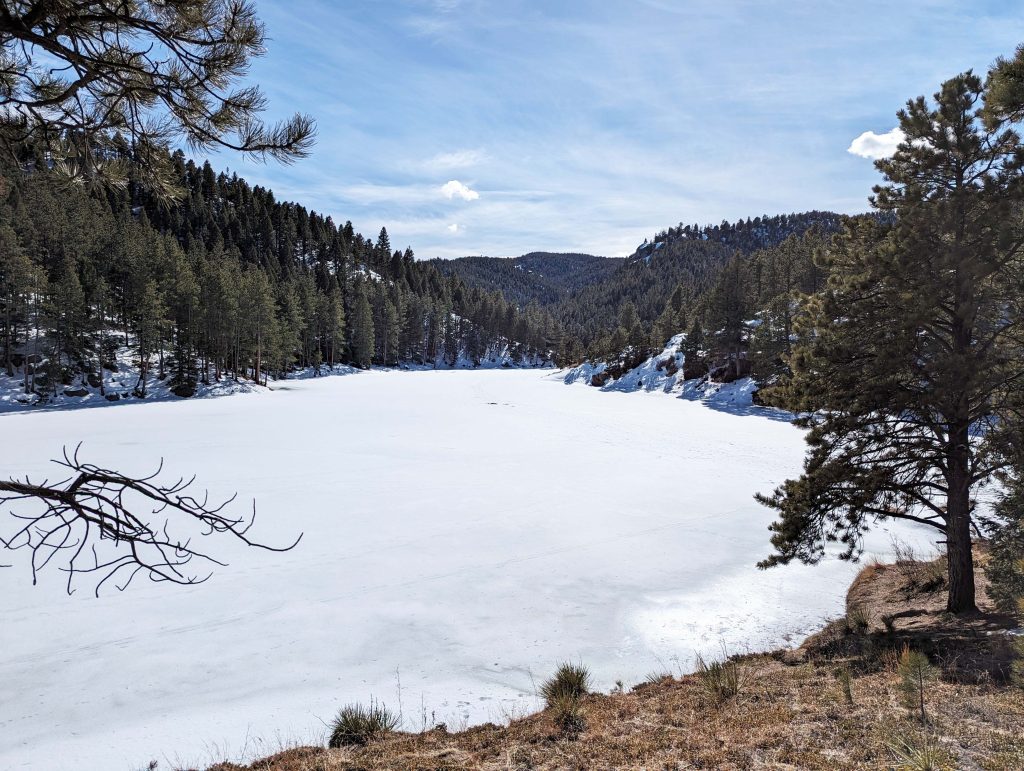
Above: Snow-covered Upper Palmer Lake Reservoir.

Despite the beautiful weather, I encountered only one other human on the two-hour jaunt. The Reservoir Road was well-used, as was the trailhead to the Ice Cave Creek trail just west of the lower reservoir and Balanced Rock just beyond the upper reservoir.
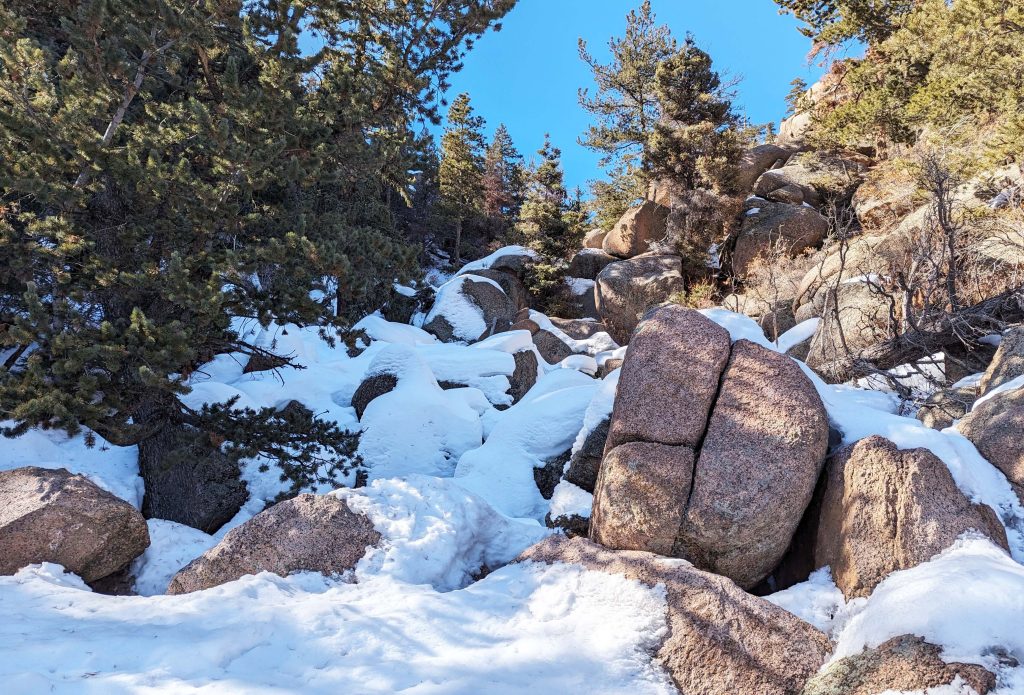
Above: Snow-covered boulder field north of the lower reservoir.

On the west side of the upper reservoir, the piles of logs generated by last year’s wildfire mitigation are still intact. A few of these logs have been used to create a new bridge over Monument Creek near the Glen in Palmer Lake. Palmer Lake Fire Chief John Vincent said about a year ago that no plans had been agreed upon by the Board of Trustees to dispose of the logs, and he speculated they might be burned. Another possible solution would be to haul them out and let local people saw cordwood for use in fireplaces or stoves. No private vehicles are allowed on the Reservoir Road—perhaps an exception for a one-time cleanup would be in order in this case.
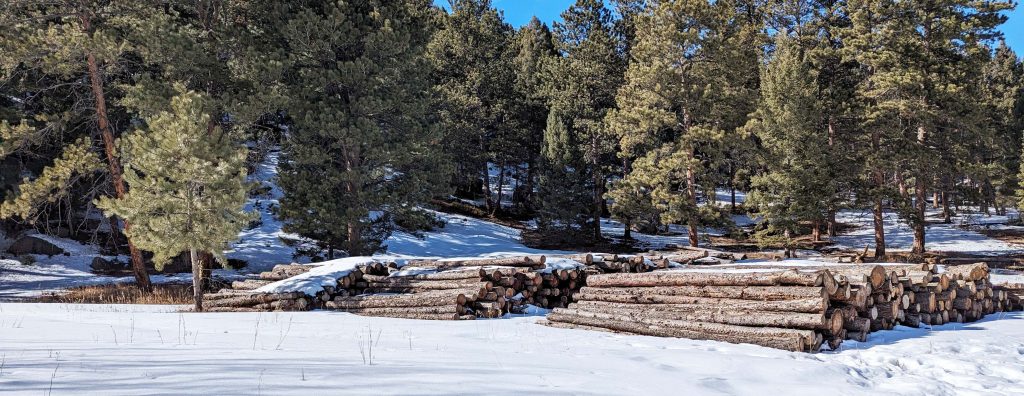
Above: Log piles west of the Upper Palmer Lake Reservoir.

I saw only one area where someone had been ice fishing. Keep in mind, if you ice fish, the ice should be at least 4 inches thick to support humans walking on the ice. When the ice is snow-covered, fishing can become a slushy challenge.

Steve Pate may be contacted at stevepate@ocn.me.

Other On the Trail articles

  • On the Trail (in memory of Tim Watkins) – Annual Ride for Tim, Palmer Lake to Monument (10/1/2025)
  • On the Trail (in memory of Tim Watkins) – Ride for Tim scheduled for Sept. 13 (9/3/2025)
  • On the Trail (in memory of Tim Watkins) – Monument Hiking Group planning session (4/5/2025)
  • On the Trail (in memory of Tim Watkins) – Monument Hiking Group to Ice Cave Cliffs and Cap Rock (2/1/2025)
  • On the Trail (in memory of Tim Watkins) – Enjoy being outdoors, but be prepared (11/2/2024)
  • On the Trail (in memory of Tim Watkins) – Prescribed burn promotes forest health (7/6/2024)
  • On the Trail (in memory of Tim Watkins) –  Palmer Lake bridge dedication ceremony (6/1/2024)
  • On the Trail (in memory of Tim Watkins) – Cadets build bridge over Monument Creek (5/4/2024)
  • On the Trail (in memory of Tim Watkins) – Mount Herman “Leap” (4/6/2024)
  • On the Trail (in memory of Tim Watkins) – Black Forest Trails Association (12/2/2023)
<- Palmer Lake Historical Society, Feb. 15 – Union Printers Home: past, present, and future
-> High Altitude Nature and Gardening (HANG) – This month in the garden: soil, bird songs, and hummingbirds

CLICK HERE FOR PODCASTS or OCN UPDATES --- SIGN UP FOR: NEWSLETTERS or ADINFO --- RSS FEEDS: ARTICLES or PODCASTS or COMMENTS
Privacy Policy --- Copyright © 2001–2025. Our Community News, Inc., All rights reserved.

Accessibility Adjustments

Powered by OneTap

Accessibility Commitment for Our Community News, Inc.

At Our Community News, Inc., we are committed to making our digital presence as accessible and inclusive as reasonably possible for all users, including individuals with disabilities. Our goal is to improve the usability of wp.ocn.me and to support a more accessible experience for everyone, regardless of their abilities or the technologies they use.

Our Approach to Accessibility

We aim to align with the Web Content Accessibility Guidelines (WCAG), which define internationally recognized standards for digital accessibility. While full compliance cannot always be guaranteed, we strive to implement improvements where feasible and regularly review accessibility-related aspects of our website. Accessibility is an ongoing process, and we are committed to improving the experience over time as technologies, standards, and user needs evolve.

Accessibility Features

To support accessibility, wp.ocn.me may utilize tools such as the OneTap accessibility toolbar. This interface provides users with a range of helpful features, including:
  • Adjustable text size and contrast settings
  • Dark mode for those who prefer that presentation
  • Highlighting of links and text for better visibility
  • Quick launch via keyboard shortcut: Alt + . (Windows) or ⌘ + . (Mac)
Please note the following:
  • The availability and effectiveness of these features depend on the website's configuration and ongoing maintenance.
  • While we strive to ensure accessibility, we cannot guarantee that every part of wp.ocn.me will be fully accessible at all times. Some content may be provided by third parties or affected by technical constraints beyond our immediate control.

Accessibility Tools

We implemented an accessibility icon on the upper right of the screen. It is a figure with arms and legs outstretched in a dark gray circle. Clicking on the accessibility icon will open a toolbar with many options to adjust the text and the screen. We also implemented a dark mode tool, which appears to the left of the accessibility icon as a smaller circle that initially is half-gray and half yellow indicating the screen will adjust to the system’s dark mode setting. Clicking on the dark mode tool will switch it to a sun icon meaning light mode. Clicking again will switch it to a moon icon meaning dark mode. Clicking again brings it back to half-and-half. If the accessibility tools are obstructing something you want to view, you can open the accessibility toolbar and select "Hide toolbar." Leave the setting at the default of “Only for this session” and click Hide Toolbar. That will reveal a small dark circle containing a minus sign. If you click on the minus sign, the dark mode tool will be removed and the minus will change to a plus. Click on the plus sign to bring back the accessibility icon and the dark mode tool.

Feedback and Contact

We welcome your feedback. If you experience any accessibility barriers or have suggestions for improvement, please contact us: Email: johnheiser@ocn.me We are committed to reviewing all inquiries and aim to respond within 3–5 business days. If you require assistance accessing any part of this website, we are happy to provide support through alternative channels upon request. Last updated: November 3, 2025
How long do you want to hide the toolbar?
Hide Toolbar Duration
Select your accessibility profile
Vision Impaired Mode
Enhances website's visuals
Seizure Safe Profile
Clear flashes & reduces color
ADHD Friendly Mode
Focused browsing, distraction-free
Blindness Mode
Reduces distractions, improves focus
Epilepsy Safe Mode
Dims colors and stops blinking
Content Modules
Font Size

Default

Line Height

Default

Color Modules
Orientation Modules

Keep up-to-date on Tri-Lakes area news and upcoming events with our free OCN App!

Check It OutAlready InstalledNo, Thanks

Subscribe to our newsletter for the latest Tri-Lakes news and website updates!

Sign Up NowAlready SubscribedNo, Thanks